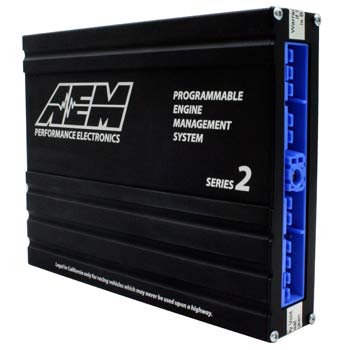
AEM Series 2 Plug and Play EMS for Nissan 180SX, 240SX

Share
Commandez maintenant le programmeur EMS Plug et Play série 2 pour Nissan 180SX et 240SX (30-6601)
Épuisé
Barcode
840879021313
SKU
30-6601
2 017,28 € 1 681,07 €
AEM's Series 2 EMS is a complete engine control system that plugs into the factory harness and uses the factory sensors. This means you do not need to replace any parts of the harness or sensors, just plug the EMS into the harness and begin tuning! The Series 2 EMS allows you to control every aspect of your 2.0L SR20DET.
Série 2 Plug and Play EMS
30-6601_1
 

Système de gestion du moteur Plug & Play de la série 2


Le EMS de la série 2 d'AEM est un système de contrôle complet du moteur qui se branche sur le faisceau d'origine et utilise les capteurs d'origine. Cela signifie que vous n'avez pas besoin de remplacer les pièces du faisceau ou les capteurs, il suffit de brancher le EMS sur le faisceau et de commencer l'accordage ! Le EMS de la série 2 vous permet de contrôler tous les aspects de votre SR20DET 2.0L. Note : Le EMS doit correspondre au faisceau, pas au châssis ! De la limite de régime, au calage, en passant par l'ajout d'injecteurs de différentes tailles, le contrôle de la pression de suralimentation, l'injection de nitro, même le anti-lag et les ajustements individuels du carburant et du calage des cylindres, le EMS de la série 2 vous donne un contrôle total depuis une interface facile à utiliser.

 
AEMdata_1

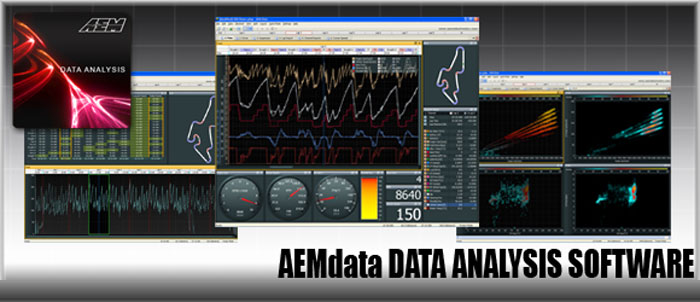
AEMdata Data Analysis Software

AEMdata data analysis software is a custom data analysis package for select AEM products that features advanced 3D graphics and a user-friendly interface. It allows the user to review and playback vehicle, driver or engine data and overlay this data using charts, dash displays, gauges, or custom displays that you create. High-speed logging is saved to a file internally or via PC connection.

AEMdata IS THE INTEGRATED ANALYSIS SOFTWARE FOR THE FOLLOWING AEM PRODUCTS:

* Not all AEMdata features are supported in some AEM products.
AEMdata_2

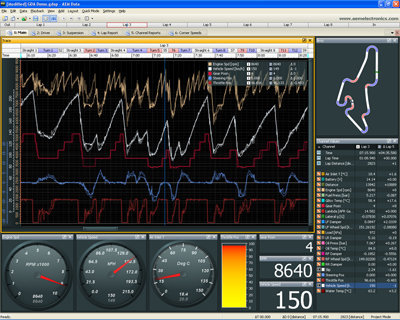
CUSTOMIZABLE INTERFACE

AEMdata features a functional workspace that allows information to quickly be accessed. It is designed to be customizable by the user. From the layout interface to the gauge styles, it's your call! Users can also create tabs to data for quick reference and store them for future reference.

EASY TO SET UP AND CUSTOM DISPLAYS

All channels are listed in the AEMdata set up menu. Users simply drag and drop the channel that they want to analyze into the window and it will display.

Changing your display couldn't be easier with AEMdata! For instance, if a user selects a gauge set up for the display interface and wants to change a logged channel from oil pressure to fuel pressure, they simply grab the fuel pressure channel from the menu and drag it to the oil pressure gauge display. The program then changes the gauge from oil to fuel pressure.
AEMdata_3

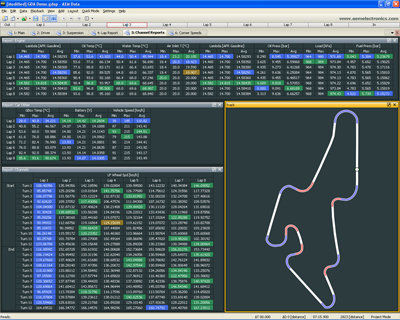
DESIGNED FOR IMMEDIATE REFERENCE

In racing, the ability to quickly interpret vehicle conditions, track conditions and what the driver is doing can make the difference between a podium finish and a long trip home, which is why AEMdata was designed for immediate access to information.

With AEMdata, users are able to program definable color changes for parameters of logged channels. For instance, if you are logging water temp and have defined a temperature range, the logging trace can change color if it exceeds a defined setting, allowing users to quickly skim logged data for color changing peaks and valleys versus tracing the channel log to find where the problem occurred.
AEMdata_4

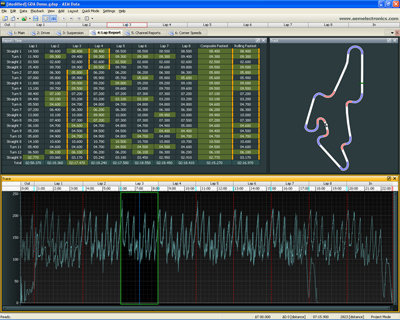
TRACK MAPPING

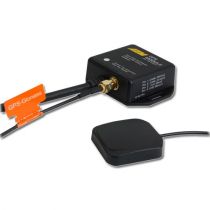
Vehicles equipped with a Vehicle Speed Sensor (VSS) and accelerometer can log this data to create track maps and overlay their logged channels data on track. Users can also add a 1HZ or 5Hz GPS with power and ground to achieve latitude and longitude channels, accelerometer, ground speed, etc. Either of these methods can be used to create track maps and GPS track maps can be exported to Google Earth to view your path in the "real World".

AEMdata also has the ability to add markers to a user's track map in the event a beacon is missed. This eliminates missed beacon counts that lead to inaccurate lap times.
AEMdata_5

POWERFUL

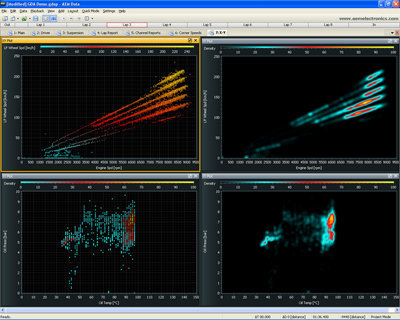
AEMdata has powerful features including custom math channels, x/y plots and histograms, stage or circuit modes and more, all aimed at making sure you get the most out of your data.

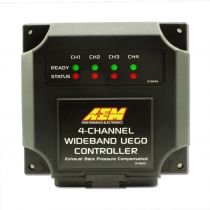
View complex sensors and devices such as the Dyno-Shaft On-Vehicle Dynamometer, 4-Channel Wideband UEGO Controller and more. AEMdata takes complex information, puts it right at your fingertips any time and allows you to analyze it in a format that is easy to use.

AEMdata FEATURES:

  • Multi-tabbed, customizable workspace
  • Drag and drop channel selection
  • Smart data organization
  • User-defined math channels
  • Channel statistics include min/max values, start/end vales, time at start/end of range, time at sample min/max distance at start/end of range, min/max distance samples and more!
  • User-defined reports
  • Log playback mode
  • Circuit or stage modes
  • Multi-lane log trace
  • cMultiple channels per lane
  • Track mapping is available via VSS and G Analyst or with GPS in closed circuit or point-to-point
  • Unlimited map overlays
  • Lap/sector analysis
  • Time/distance plots
  • Alarm reports
  • Analog-style and bar gauges
  • X/Y plots
  • Histograms
  • 3D scatter plot
  • Data export via .csv, Matlab, etc.
 
AEM_aemtuner_header
 

AEMTuner SOFTWARE


OVERVIEW


AEMTuner Software for the Series 2 Plug and Play EMS and EMS-4 Universal Standalone EMS is infinitely adjustable and allows tuners to program virtually any combination of engine control, power adders and auxiliary devices, and accurately delivers proper amounts of fuel and correct ignition timing for any boost level or operating condition. Professional tuners will appreciate the ease of use and security features of Advanced Engine Management's AEMTuner Software. AEMTuner software is Windows™ compatible (XP, Vista, Windows7), making the task of copying, viewing and manipulating data as simple as a click of the mouse.


 

KEY FEATURES

 
  • Support Pane gives tuners context sensitive help and uses tuners' actual calibrations to describe each function.
  • Maps can be password protected by the tuner to prevent unauthorized usage or sharing.
  • Internal conflict detection notifies tuner if obvious errors exist in assignment of inputs/outputs.
  • Compare Calibrations allows tuners to graphically compare tables and maps for easy analysis.
  • Workspaces are easily customizable and configurable.
  • Colored tables and maps.
  • Data analysis using AEMdata software.
 

AEMTuner SCREENSHOTS

 
AEM_SCREENSHOTS_anti_lag_small.jpg
AEM_SCREENSHOTS_context_sensitive_help_small
AEM_SCREENSHOTS_sensor_setup_small
 
AEM_SCREENSHOTS_boost_small.jpg
AEM_SCREENSHOTS_nitrous_small
AEM_SCREENSHOTS_knock_small
 
AEM_SCREENSHOTS_gauge_display_small
AEM_SCREENSHOTS_O2_small
AEM_SCREENSHOTS_vvc_small
 
AEM_SCREENSHOTS_anti_lag_small
AEM_SCREENSHOTS_automatic_trans_small
AEM_SCREENSHOTS_startup_small
 

Τhe latest Versions of AEMTUNER


AEM Tuner Manual click here

 
Rédigez votre propre commentaire
Vous commentez :AEM Series 2 Plug and Play EMS for Nissan 180SX, 240SX
Your Rating
Customer Questions
Qu'est-ce que le EMS de la série 2 d'AEM ?
Le EMS de la série 2 d'AEM est un système de gestion complet du moteur qui se branche sur le faisceau d'origine et utilise les capteurs d'origine. Il permet de contrôler tous les aspects du moteur sans avoir à remplacer les pièces du faisceau ou les capteurs.
Quels sont les avantages du EMS de la série 2 ?
Le EMS de la série 2 vous permet de contrôler la limite de régime, le calage, l'ajout d'injecteurs de différentes tailles, la pression de suralimentation, l'injection de nitro, l'anti-lag, les ajustements individuels du carburant et du calage des cylindres, et bien plus encore. Il offre un contrôle total depuis une interface conviviale.
Quelles sont les caractéristiques de sortie du EMS de la série 2 ?
Le EMS de la série 2 dispose de sorties pour les injecteurs, les bobines, les sorties LS et HS à usage général, les réglages d'allumage individuels des cylindres, les réglages individuels de carburant des cylindres, et plus encore. Il offre une grande flexibilité de configuration.
Quelles sont les caractéristiques d'entrée du EMS de la série 2 ?
Le EMS de la série 2 comporte des entrées pour les déclenchements, les tensions analogiques, les entrées lambda, les capteurs de cliquetis, et plus encore. Il offre une variété d'options pour surveiller et contrôler les paramètres du moteur.
Quelles sont les options de communication du EMS de la série 2 ?
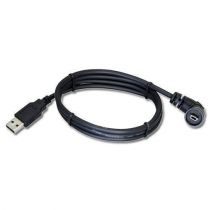
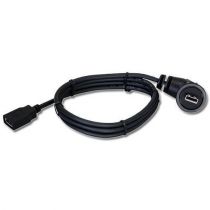
Le EMS de la série 2 est équipé de communications USB et RS232, avec des câbles inclus. Il est compatible avec les enregistreurs de données AIM Dash/Dataloggers et Racepak Dash/Dataloggers, et offre une sortie de flux de données CAN et RS232.
Sorties
Sorties de l'injecteur4 Peak & Hold, 8 Saturé
Sorties de bobine4
Entraînement direct sélectionnable ou sortie de bobine 0-5V.Oui
Branchement direct, aucun harnais de pontage requisOui
Sorties LS à usage général12
Sorties HS à usage général4
Réglages d'allumage individuels des cylindresOui
Réglages individuels de carburant des cylindresOui
Entrées
Entrées de déclenchement (Ref/Sync)4
Entrées de tension analogique18
Entrées analogiques/RTD/thermistor configurables4
Changer les entrées5
Entrées lambda2x
Capteurs de cliquetis2
Fréquence centrale du capteur de cliquetis ajustable par l'utilisateurOui
Communication
USB commsOui
RS232 commsOui
Câbles de communication inclus.Oui
Logiciel d'édition/enregistrement entièrement activé inclusOui
CAN bus équipéOui
RS232 datastream output19 ch
CAN flux de données de sortie19 ch
Communique avec les enregistreurs AIM Dash/DataloggersOui
Communique avec Racepak Dash/DataloggersOui